Driver Pulse by Tenstreet
- 4.0
- Rating
- 1.00M
- Installs
- Free
- Price

 Analysis by App-foxy
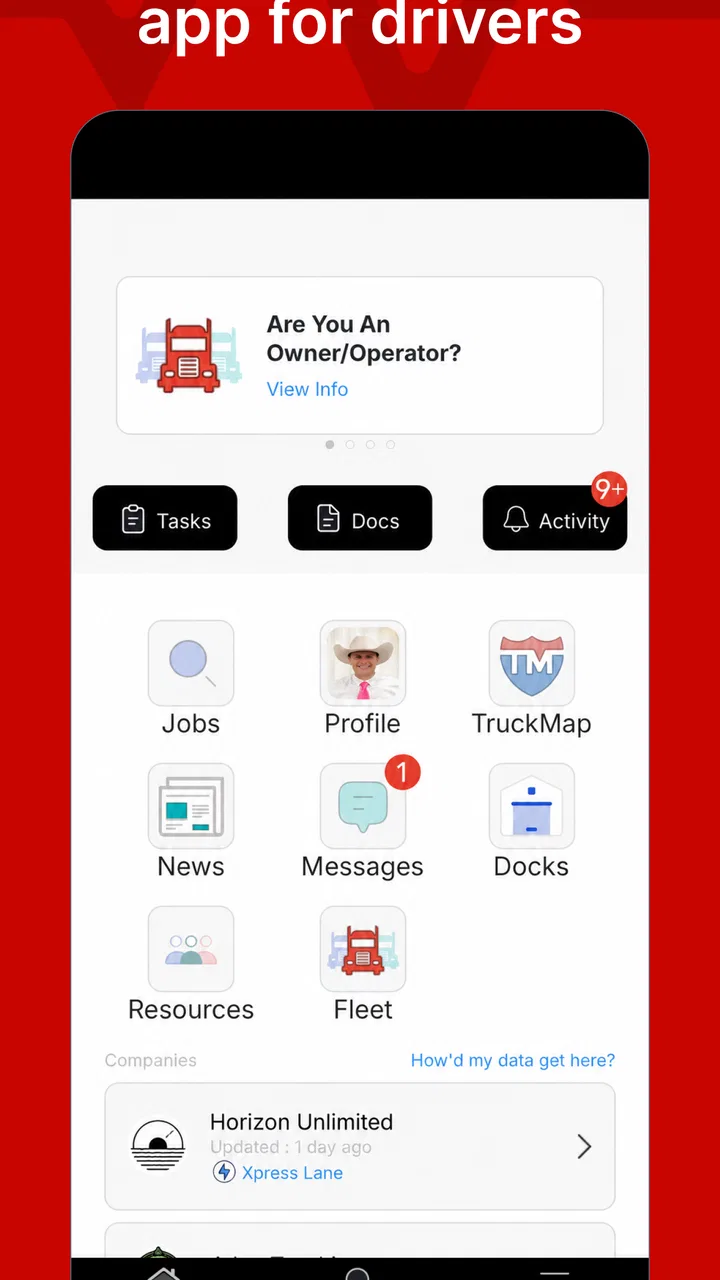
When I look at Driver Pulse, I see a focused business app rather than a general-purpose tool for every kind of driver. Its job is to give drivers a practical view of what is happening with their IntelliApp, and that narrow purpose is also its main strength. I would not install it expecting route planning, a full electronic logging system, or a replacement for every communication channel used by a carrier. I would use it when I need a clearer, more convenient way to stay connected to the IntelliApp process while working from an Android device.
That distinction matters because many driver apps try to combine navigation, logs, messaging, payroll, document handling, and job searches in one crowded package. Driver Pulse sits in a different place. It belongs to the business category, is developed by Tenstreet, and is free to use. The age rating is Everyone, so it is presented as a broadly accessible work utility rather than a specialized tool restricted to mature users.
In my experience, the best way to judge it is not by asking whether it does everything. The better question is whether it reduces the need to repeatedly check other parts of a carrier’s workflow. If your employer relies on IntelliApp and expects you to monitor its status, this app can be useful. If you have no connection to that system, its value drops sharply.
You May Also Like

 Blood Strike: 2.5 Anniversary
Blood Strike’s Loadouts Turn Every Drop Into a Tactical Gamble
A close look at Blood Strike’s custom loadouts: how fast access to signature weapons reshapes its battle royale rhythm, rewards preparation, and narrows the gap between fights.

 Pandora - Music & Podcasts
Pandora’s Music Is Easy to Start, but Harder to Recover
Pandora’s strength is its low-effort path from a seed to a station. Its weak spot is how much confidence it asks you to place in connection, setup, and quiet recovery.

 8 Ball Pool
 Is Built on Rivalries, Rematches, and Routine
A close look at the rivalries, rematches, shared routines, and unanswered safety questions that turn a quick pool match into a persistent mobile community.

 Samsung Music
’s Quiet Strength Is Playing What You Already Own
Its reach comes less from spectacle than from dependable access to a personal library. That simplicity is both the app’s strongest retention engine and its ceiling.

 AccuWeather: Weather Radar
AccuWeather Review: A Quick, Clear Forecast for Everyday Decisions
For everyday plans, the best forecast is the one you can understand quickly. AccuWeather makes rain timing, radar, and local conditions easy to act on, with a few trade-offs.

 Hill Climb Racing
Why Hill Climb Racing Still Turns Crashes Into One More Run
A tiny car, a bumpy hill and one more upgrade: Hill Climb Racing keeps resurfacing because its simple chaos makes every near-miss feel personal.
More From Our News Desk



How I would build a dependable daily workflow
I would build the routine around a clear reason to check, rather than treating Driver Pulse as something to refresh whenever I have a spare moment. A consistent checkpoint—paired with a note about what I’m waiting for—makes it easier to distinguish real progress from a status that simply hasn’t changed yet. That habit also sets up the next question: which phone and account settings are worth reviewing so the routine stays dependable?
Start with status, not constant checking
The most sensible routine is to treat Driver Pulse as a status checkpoint. I would open it at the beginning of a workday, after submitting or updating something through the IntelliApp process, and again when I am ready to deal with a follow-up. That habit is more efficient than opening the app every few minutes, especially when the next action depends on another person or department.
A driver who is applying with a carrier, completing onboarding steps, or waiting for movement on an application can easily lose time by switching between email, phone calls, text messages, and a browser. A status-focused app cannot remove every delay, but it can give one part of that process a predictable place to check. I find that useful because it turns a vague “I should see whether anything changed” task into a simple checkpoint.
There is also a practical distinction between seeing a status and assuming that a status is the final answer. I would still read any available details carefully and keep the carrier’s preferred contact method available. Driver Pulse is most helpful as a visibility layer, not as permission to ignore messages, documents, or instructions elsewhere in the hiring or operating process.
A realistic use case for a working driver
Imagine finishing a driving shift and having enough time to review an application or onboarding item, but not enough patience to hunt through several screens. I would open Driver Pulse, check the current IntelliApp status, and then decide whether an immediate follow-up is necessary. If the status has not changed, I can avoid sending a duplicate message. If it has moved forward, I know to look for the next required action through the appropriate channel.
That small routine is more valuable than it sounds. Repeated duplicate calls can create confusion, while failing to check at all can leave a driver unaware of progress. The app works best when it becomes part of a repeatable sequence: check the status, note what needs attention, complete the next action in the correct place, and return later rather than constantly interrupting the day.
What I would prepare before relying on it
Before making it part of my routine, I would make sure I know which IntelliApp activity I am expecting to see. That sounds obvious, but it prevents a common mistake: opening a status screen without understanding whether I am waiting for a submission update, an onboarding step, or a response from a carrier. The clearer the expected outcome, the easier it is to recognize meaningful progress.
I would also keep my account details and relevant contact information accessible outside the app. If a status raises a question, the app may tell me where things stand without answering every operational question. Having the carrier’s instructions, email thread, or phone contact nearby avoids turning a useful status check into a dead end.
Why the narrow design can be a benefit
For me, the appeal is that Driver Pulse is not trying to replace every tool in a driver’s phone. A narrow app can be easier to understand when the task is equally narrow. Instead of searching through a large dashboard for one piece of information, I can focus on the IntelliApp connection and make a decision from there.
That simplicity will not satisfy everyone. Drivers who want one app for navigation, hours, inspections, expenses, dispatch, and job applications will probably prefer a larger platform or a combination of specialized tools. Driver Pulse makes more sense as a companion to those tools, especially when the carrier’s process is built around Tenstreet’s IntelliApp.
Settings and habits worth checking first
I would begin by reviewing the app’s available notification and account behavior rather than assuming the default setup is ideal. The most useful setting is usually the one that helps me notice a meaningful change without encouraging unnecessary interruptions. If notifications are available on the device, I would decide whether they should appear during rest periods, driving time, or only when I am ready to handle administrative work.
This is not about turning every alert on. A more experienced approach is to match the app’s alerts to a schedule. For example, I might allow relevant updates during a planned administrative break and silence nonessential interruptions while driving. That protects attention and makes the alerts I do receive easier to take seriously.
I would also check whether the current account is the one connected to the IntelliApp activity I care about. A status tool is only useful when the correct identity and application context are in place. If several applications or carrier interactions are involved, I would avoid assuming that one visible item represents every process connected to me.
Use the operating system as part of the setup
Some of the most useful improvements are outside the app itself. On Android, I would review notification permissions, battery behavior, and whether the system is restricting background activity. I would not change settings blindly, but I would know where to look if updates seem late or alerts do not appear. A status app can feel unreliable when the real problem is the phone’s power-saving behavior.
I would also keep the app updated through the normal store process. The current version is 7.48.0, and the application supports Android 9 or later. That makes compatibility straightforward for many devices, but it is still sensible to check the phone’s operating system before troubleshooting the app. If the phone is older than that requirement, changing notification settings will not solve the underlying compatibility issue.
Another small habit is to open the app after a major account change rather than waiting for an alert to prove everything is working. A manual check confirms that the account is accessible and that the expected IntelliApp information is visible. I prefer this approach when an application or onboarding step is time-sensitive, because it separates “the app is functioning” from “I am waiting for someone else to update the status.”
Faster patterns for repeat users
Once the basic routine is comfortable, I would use a fixed sequence instead of improvising each time. My sequence would be: open Driver Pulse, identify the latest status, decide whether it requires action, and record the next checkpoint mentally or in my normal notes. The benefit is not a hidden shortcut; it is consistency. The fewer decisions I make during a quick check, the less likely I am to overlook why I opened the app.
I would also avoid checking immediately after every conversation unless the conversation specifically changed the IntelliApp process. If a recruiter or carrier representative says an update will happen later, checking repeatedly will not make it happen sooner. A planned return time is more efficient and keeps the app from becoming a source of unnecessary anxiety.
For drivers managing several opportunities, I would separate them in my own notes by carrier or application context. Driver Pulse can show the relevant status, but my personal organization should make clear which status belongs to which conversation. This is a useful trade-off: the app can provide visibility, while I remain responsible for keeping the broader job-search or onboarding picture organized.
Another practical pattern is to check before making a follow-up call. That prevents me from asking for an update that has already appeared. It also gives the conversation a better starting point: I can refer to the current state rather than relying on memory from the last check. The app does not replace communication, but it can make communication more precise.
Where it is stronger than ordinary alternatives
The usual alternative is to depend entirely on email, phone calls, text messages, or a browser opened only when someone tells you to look. Those methods can work, but they scatter the process across different places. Driver Pulse offers a more direct habit for people whose IntelliApp activity is central to their interaction with a carrier.
Compared with a broad driver-management platform, its advantage is focus. A large platform may be better for daily operations, logs, navigation, or dispatch, but it may also contain more screens and unrelated information. Driver Pulse is easier to justify when I only need to monitor the IntelliApp side of the relationship.
The reverse is also true. If my main need is dispatch communication, route planning, compliance records, or hours tracking, I would choose a tool designed for that purpose instead. Installing Driver Pulse will not turn it into a complete fleet-management solution. Its usefulness depends on whether the specific Tenstreet workflow is part of my day.
Limits I would keep in mind
The first limitation is dependency. The app’s usefulness is tied to IntelliApp, so it is not a universal status tracker for every carrier, application system, or employment portal. A driver outside that ecosystem may find little reason to keep it installed. This is not a flaw in the narrow task, but it is important when deciding whether the app belongs in your regular toolkit.
The second limitation is that a status update may not explain the full reason behind a delay or request. I would not treat a displayed state as a substitute for reading instructions or contacting the responsible person. When paperwork, qualification, scheduling, or onboarding details matter, the app should be one step in the process rather than the entire process.
There is also a human limitation: status checking can become a habit without a clear next action. If I open the app repeatedly but do not know what I am waiting for, the tool adds stress instead of clarity. The fix is to define the next meaningful checkpoint and use the app at that time. Experienced use is less about checking more often and more about checking with a reason.
Who should use it, and who should skip it
I would recommend Driver Pulse to drivers who interact with a carrier through IntelliApp and want a straightforward way to monitor that activity from a phone. It is especially suitable for someone who prefers a quick status check before deciding whether to call, send a message, or wait.
I would also consider it useful for newer drivers who are still learning a carrier’s process. Having one recognizable place to check can reduce the confusion that comes from relying on memory or searching through old messages. The app does not teach every part of the process, but it can provide a consistent reference point.
I would skip it if I have no IntelliApp-related activity, if my employer uses an entirely different system, or if I am looking for a full driving operations suite. I would also avoid expecting it to manage every document, conversation, or schedule detail. In those cases, a carrier-specific platform or a broader professional driver app may be the better primary tool.
What its adoption suggests, without replacing personal judgment
Driver Pulse has an average rating of 4.1 from around 9,600 ratings, with roughly 3,300 written reviews and over a million installs. Those figures suggest that it serves a substantial audience and that many people find the basic purpose worthwhile. I still would not use popularity as proof that it fits every driver, because the app’s value depends heavily on the IntelliApp connection.
It has been available since August 13, 2015, which gives it a long presence compared with a newly launched utility. Tenstreet remains the developer, and the app is free. For me, that removes the biggest barrier to trying it, but it does not remove the need to judge whether the workflow applies to my situation.
My verdict after fitting it into a routine
Driver Pulse is most convincing when used as a disciplined status checkpoint, not as an all-in-one driver companion. I like the focused role because it can reduce scattered checking around an IntelliApp process. The best results come from pairing it with sensible notification choices, a clear follow-up schedule, and the willingness to use the carrier’s other communication channels when a status needs explanation.
My recommendation is therefore conditional but positive. If IntelliApp is part of your carrier relationship, I would try it and build a simple check-and-act routine around it. Keep notifications practical, verify the correct account, check before following up, and avoid treating a status as the complete story. If you need navigation, logging, dispatch, or broad fleet features, choose another primary app and regard this one as a specialized companion.
After that adjustment in expectations, the app becomes easier to judge. It is free, accessible to users rated Everyone, and designed around a specific business task. I would not call it essential for every driver, but for the right workflow it can provide a cleaner, less scattered way to keep track of IntelliApp activity.
FAQs for Driver Pulse by Tenstreet
01What is Driver Pulse by Tenstreet?
Driver Pulse by Tenstreet is a mobile application designed to simplify the job application process for truck drivers. It connects drivers with prospective employers, allowing them to apply for jobs, track application statuses, and communicate with recruiters directly through the app. This streamlined process helps drivers find employment more efficiently.
02How does Driver Pulse enhance the job application process for truck drivers?
Driver Pulse enhances the job application process by providing a centralized platform where drivers can easily apply to multiple jobs, track the progress of their applications, and communicate with recruiters. The app also offers features like document uploads and notifications, ensuring that drivers stay updated and organized throughout their job hunt.
03Is Driver Pulse free to use, and are there any hidden fees?
Driver Pulse is free to download and use for truck drivers. It does not charge any fees for job applications or communication with recruiters. However, users should ensure they have a stable internet connection, as data usage may apply depending on their mobile plan.
04What features does Driver Pulse offer to help drivers find jobs?
Driver Pulse offers a variety of features including a job search tool, application tracking, and direct messaging with recruiters. Users can also upload necessary documents like licenses and certifications, receive notifications about application updates, and customize their job preferences to receive relevant job recommendations.
05Can Driver Pulse be used on both Android and iOS devices?
Yes, Driver Pulse is available for both Android and iOS devices. Users can download the app from the Google Play Store for Android devices or the Apple App Store for iOS devices. The app is designed to provide a seamless experience across both platforms, ensuring that all users have access to its features.
Pros
- User-friendly interface
- easy to navigate.
- Real-time application status updates.
- Access to a wide network of employers.
- Secure document upload feature.
- Integrated messaging with recruiters.
Cons
- Limited to the trucking industry only.
- Occasional app crashes reported.
- Requires constant internet connection.
- High data usage during video calls.
- No offline mode for application updates.

Driver Pulse by Tenstreet
Gallery